00:00:00:01Project file — Creator
Live on Google Play · iOS coming soon
A cutting room in your pocket.
Creovia Creator is a video editor for Android and iOS built with an editor's obsessions: frame-accurate previews, AI that runs on the device, and an export that looks exactly like what you saw on the timeline.
00:00:04:12
00:00:05:10Straight off the device
Not a mock-up. The actual build.
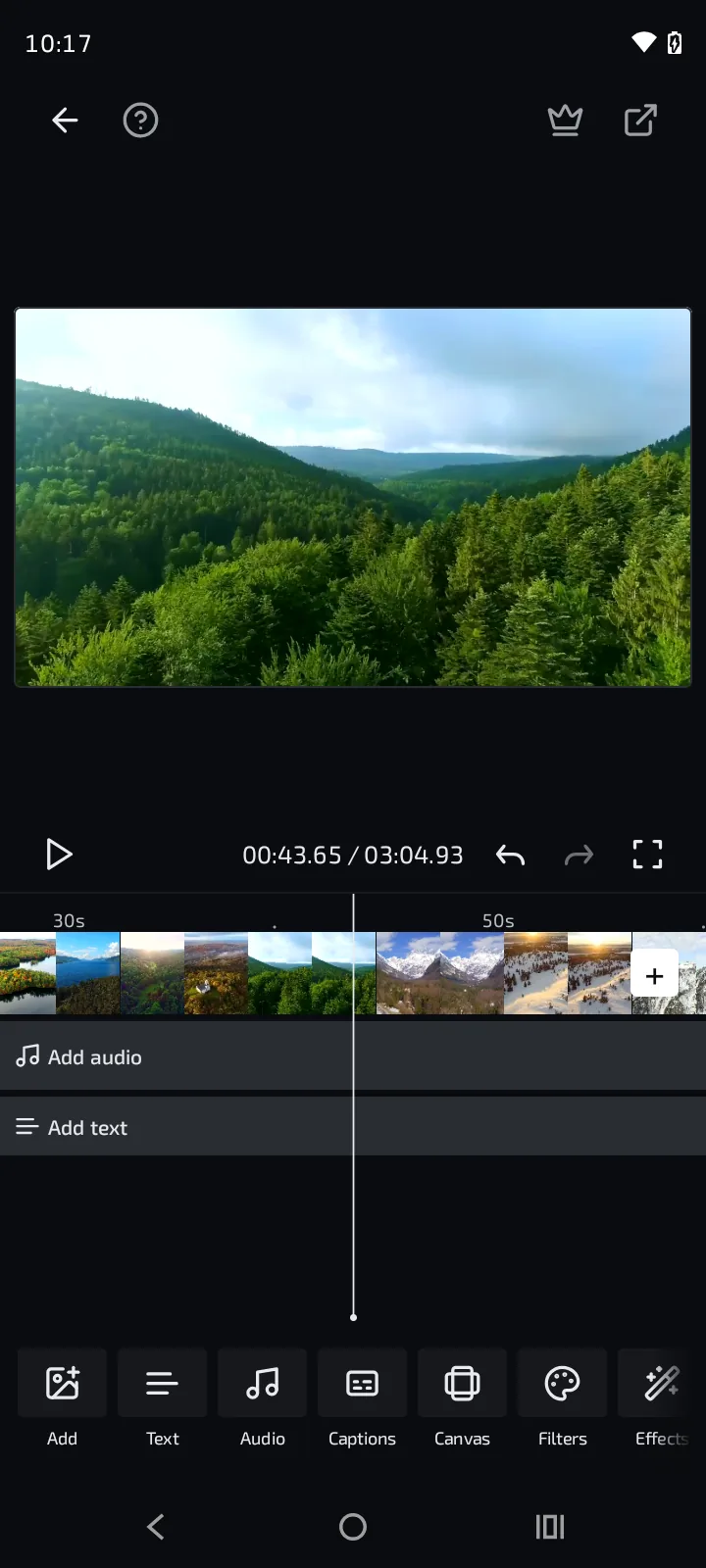
THE CUT — TIMELINE
Frame-accurate tracks, filmstrip scrubbing.
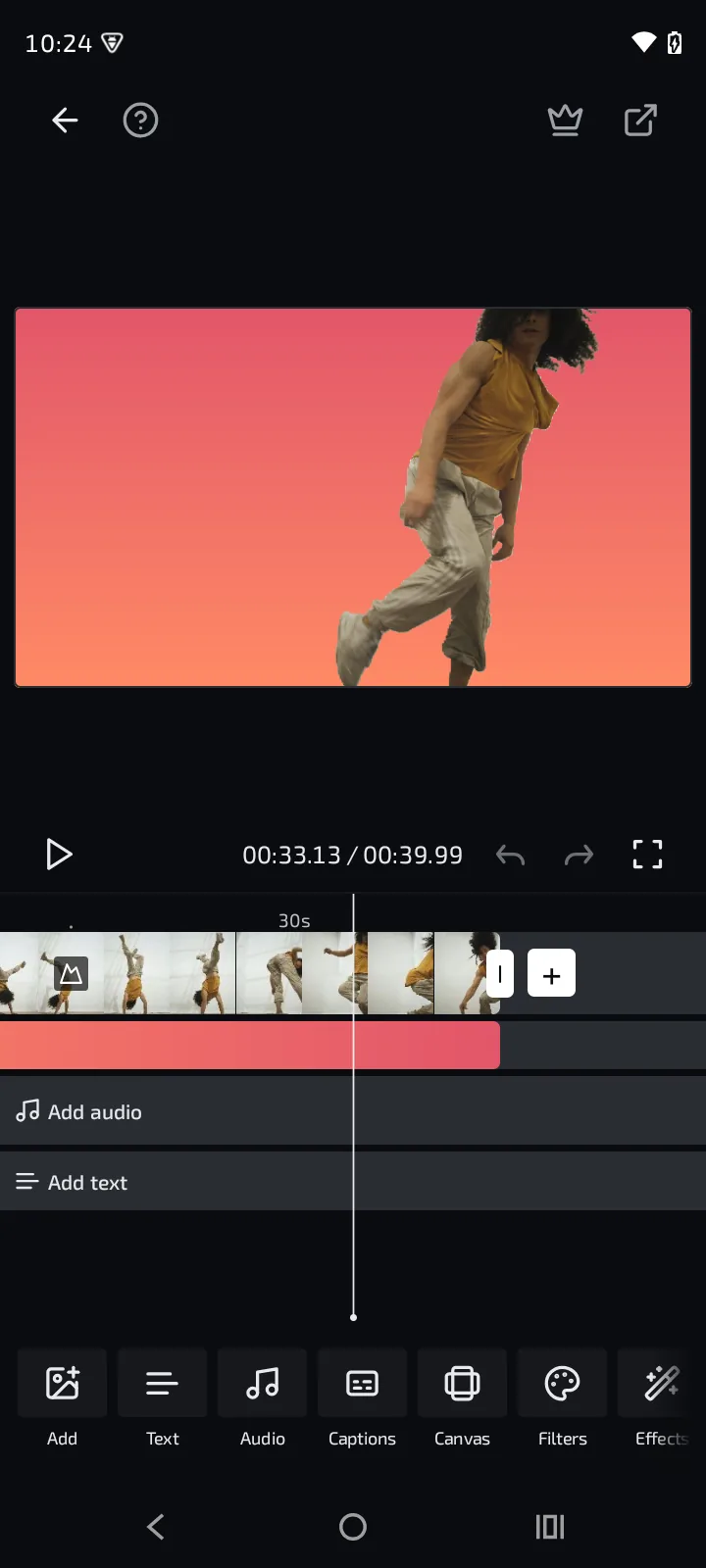
AI — BACKGROUND REPLACE
No green screen. The matte runs on the phone.
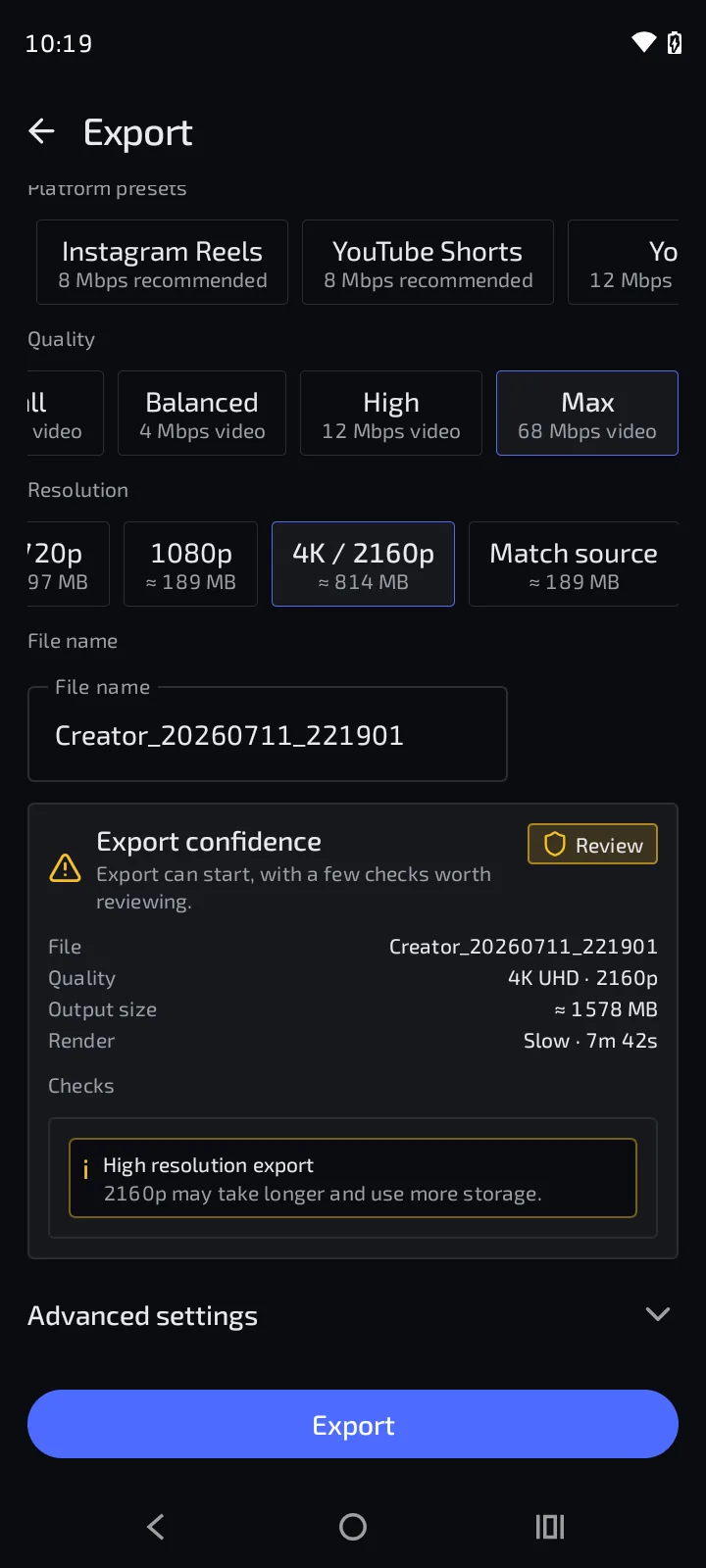
EXPORT — 4K MASTER
Platform presets, pre-flight checks, 4K out.
00:00:09:00The toolkit
Tools that preview like they export.
Every tool renders on the live preview and lands visibly on the timeline — no apply-and-pray, no surprise at export. Open any of them for the full cut.
AI, on the device
The heavy lifting — segmentation, tracking, matting — runs on the phone's own silicon. Footage never leaves the device to be processed.
00:01:04:12
AI Background
Change what's behind you, keep it believable.
Blur, replace, or restage the background behind a person — with contact shadows and light wrap that sell the composite.
Full cut →
00:01:18:00
Redact
Hide a face for the whole shot, not one frame.
Pick a face and Creator tracks it through the clip, keeping it blurred through motion, trims, and splits.
Full cut →
00:01:31:06
Object Eraser
Paint over what shouldn't be in the shot.
Brush over a distraction — a sign, a stray object — and Creator conceals it across frames.
Full cut →
00:01:44:20
Beautify
Retouch that survives close inspection.
Skin-aware smoothing and subtle feature adjustments, rendered live on the GPU as you drag.
Full cut →
00:01:56:10
Stabilize
Handheld footage, tripod nerves.
Optical-flow stabilization smooths camera shake out of a clip without cropping the life out of it.
Full cut →
The cut
The editing core: a timeline you can trust at the frame level, and playback that keeps up with your thumb.
00:02:08:00
Timeline & Scrubbing
Every frame under your thumb.
Frame-accurate scrubbing at source resolution, precision trim and split, and drafts that save themselves.
Full cut →
00:02:21:10
Transitions
Seams you can scrub.
GPU-rendered transitions between clips, previewed in real time exactly as the export will stitch them.
Full cut →
00:02:34:16
Auto-Reframe
One shoot, every aspect ratio.
Convert 16:9 to 9:16 (and back) with a crop that follows your subject — override it with keyframes when you want the wheel.
Full cut →
00:02:47:04
Speed
Time, bent per clip.
Speed a clip up, slow it down, and see the change reflected instantly on the timeline's length and tint.
Full cut →
00:02:58:16
Auto Edit
A first cut in one tap.
Scene detection, silence trimming, splits, and transitions applied across the whole project — reviewed by you, applied as one undoable step.
Full cut →
Compose
Layers, keys, masks, and effects — the compositing tools that turn a clip into a shot.
00:03:04:00
Video Overlay
Picture in picture, properly.
Layer video on video — reactions, B-roll insets, screen recordings — positioned on the preview and timed on the timeline.
Full cut →
00:03:17:08
Chroma Key
Green screen in your pocket.
Key a colour out of any clip or overlay — tuned live on the preview, exported identically.
Full cut →
00:03:30:12
Effects & Filters
Texture when the cut needs it.
A catalogue of visual effects — glitch, flash, light leak, pulse, pixelate — plus named filter looks from Vivid to Noir.
Full cut →
00:03:43:04
Keyframes & Masks
Motion and shape, under your control.
Animate position, scale, and rotation with keyframes; confine any effect or layer with shape masks.
Full cut →
The look
Colour tools that respond while your finger is still on the slider — and keep a multi-clip edit looking like one film.
00:04:02:00
Color & Grade
Grading at the speed of your finger.
Exposure, contrast, warmth, saturation, grain, sharpen — every adjustment live on the moving preview.
Full cut →
00:04:15:08
Match Color
Five clips, one film.
Pick a reference clip and Creator matches the rest of the cut to its colour — the fastest route to a coherent look.
Full cut →
Voice, text & stills
The storytelling layer — captions, voices, overlays — plus a full photo studio living inside the same app.
00:05:06:00
Auto Captions
Your words, styled and on time.
On-device speech recognition turns dialogue into styled, editable captions placed exactly when words are spoken.
Full cut →
00:05:19:12
Voice & Audio
Voice-overs, TTS narrators, and music beds.
Record voice-overs, generate text-to-speech narration, and lay music on dedicated audio rows under the video.
Full cut →
00:05:32:20
Text & Stickers
Overlays that live on the timeline.
Text overlays with real typographic control, plus a searchable sticker and GIF library — each placed with a visible time range.
Full cut →
00:05:45:00
Photo Studio
A second studio, same eye.
Single-photo edits, collages, vertical stitches, and slideshows — sharing the video editor's grading engine and drafts system.
Full cut →
Also in the bag — Canvas & aspect presets · Speed curves · Reverse, freeze frame & camera shake · Crop & rotate · Cut Silences · Scene-detect split suggestions · Beat Sync · Audio mixer, fades & crossfades · Extract audio from video · Ready-made templates · Smart cover picker · 2× super-res export upscale · Project trash & restore · Hidden projects with PIN · Watermark-free Pro exports · Light & dark theme
00:01:12:00Questions, answered
Before you ask.
Is Creator available yet?
Yes — Creator is live on Google Play now, so you can download it today. The iOS App Store version is in active development; join the list and we'll send exactly one email the day it ships.
Is Creator free?
Creator is free with ads. A Pro upgrade removes them and unlocks the full toolkit — with nothing metered and no credits, ever. Final pricing is announced at launch.
Does my footage get uploaded to a server?
No. All editing — including every AI feature like background replacement, face redaction, and captions — runs entirely on your device, and your media is never used to train AI models. The only exception is one you control: optional backups, which go to your own Google Drive or iCloud, never to our servers.
Do I need an account?
No — Creator works fully as a guest. Signing in with Google or email is optional and enables cloud-drive backup. You can delete your account any time from Settings → Account.
Which devices does Creator support?
Android 7.0 (Nougat) and newer at launch. An iOS version is being built and will follow.
Will the preview match the exported video?
Yes — that's a core design rule. The preview and the export are produced by the same rendering pipeline, so what you see on the timeline is exactly what you get in the file.
“The AI runs on the phone. Your footage stays yours — no uploads, no cloud queue, no waiting on someone else's GPU.”
00:01:29:23Roll credits — get the app
Live on Google Play. App Store next.
Creovia Creator is out now on Android — download it today. The iOS version is in active development.
CREATOR LEGAL — PRIVACY · TERMS · DATA DELETION